How Regulatory Compliance Software Automates Audit Evidence
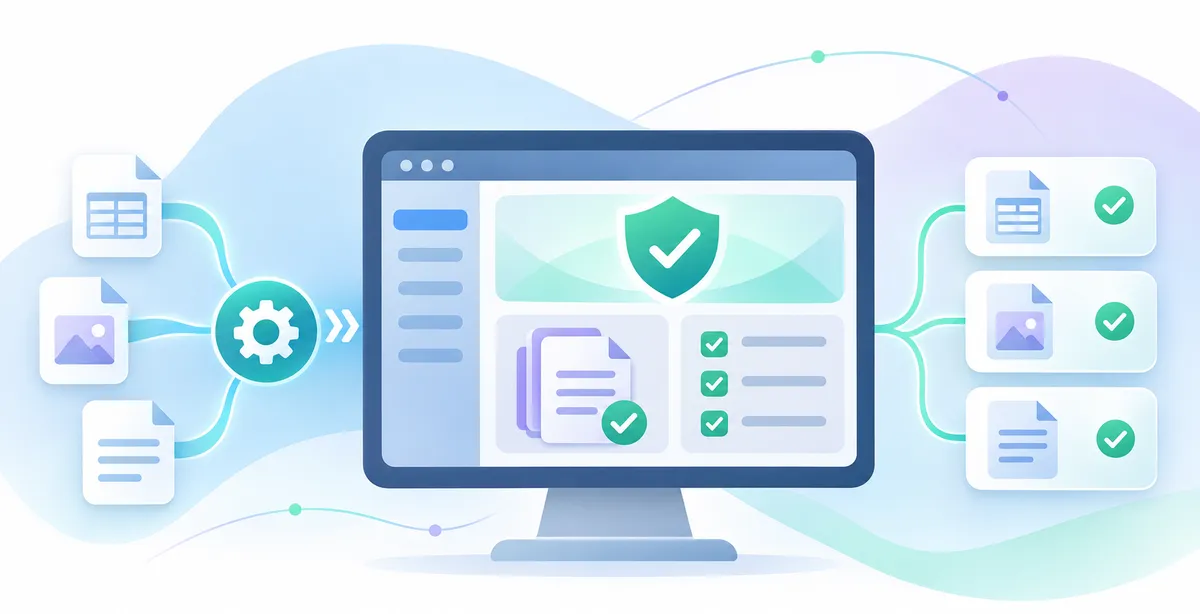
Audit evidence collection is one of the most time-consuming parts of any compliance program. Teams often chase screenshots, policy acknowledgments, access reviews, and control logs across disconnected systems. Regulatory compliance software helps standardize that work by centralizing evidence requests, linking records to controls, and creating a reliable audit trail. If you want to reduce manual effort without weakening oversight, the key is to automate evidence collection in a structured, risk-aware way.
This guide explains how compliance officers, risk managers, and GRC teams can design an evidence automation process that supports internal audits, external assessments, and ongoing control monitoring.
How to define what audit evidence your regulatory compliance software should collect
Before you automate anything, define the evidence requirements behind your controls. Many teams automate too early and end up collecting large volumes of low-value artifacts that do not satisfy auditors or internal reviewers. Start with the control objective, then map the exact evidence needed to demonstrate design and operating effectiveness.
For each control, identify:
- The system or process where the evidence originates
- The record type required, such as logs, approvals, reports, tickets, or attestations
- The collection frequency, such as monthly, quarterly, or event-driven
- The control owner responsible for review
- The retention period and access restrictions
This is where regulatory compliance software becomes especially useful. Instead of tracking evidence requirements in spreadsheets, you can maintain a control library with linked evidence types, owners, due dates, and status history. That structure reduces ambiguity when audit requests arrive.
Practical tip: If an auditor asks, “How do you know this control operated during the review period?” your evidence mapping should answer that question before the audit begins.
Step 1: How to connect evidence sources and eliminate manual chasing
Once requirements are defined, connect the systems where evidence is created. In most organizations, audit evidence sits across HR platforms, identity providers, ticketing tools, cloud infrastructure, document repositories, and security systems. Manual collection from each source introduces delay, inconsistency, and version-control problems.
Your goal is not to automate every source at once. Prioritize high-frequency, high-risk controls first. These usually include user access reviews, change management approvals, policy attestations, incident records, and training completion data.
- Inventory the systems that produce recurring audit evidence.
- Prioritize controls that consume the most manual effort or face the most audit scrutiny.
- Configure integrations, uploads, or standardized request workflows.
- Map each incoming artifact to a control, framework requirement, and review period.
- Assign an owner to validate completeness and appropriateness.
- Track exceptions, overdue items, and missing evidence in a single dashboard.
Good automation should reduce administrative work, not remove human judgment. Evidence still needs context. A log export alone may not prove a control worked as intended unless it is paired with documented review and approval steps.
Step 2: How to standardize evidence collection workflows in regulatory compliance software
Consistency matters as much as automation. If each team submits evidence in a different format, your review process stays inefficient. Use regulatory compliance software to standardize how evidence is requested, named, approved, and retained.
A strong workflow typically includes:
- Predefined evidence request templates tied to controls
- Required fields for period, owner, source system, and reviewer
- Automated reminders before due dates
- Version history for updated artifacts
- Approval steps documenting reviewer sign-off
- Exception tracking when evidence is incomplete or does not support the control
Standardization also helps when personnel change. New control owners can follow an established process instead of relying on informal knowledge. For GRC teams, this creates better comparability across business units and audit cycles.
Be careful not to over-collect. More evidence is not always better evidence. Focus on whether the artifact directly supports the control objective and whether an auditor could understand it without extensive explanation.
Step 3: How to validate evidence quality before an auditor sees it
Automated collection can fail if quality checks are weak. Common problems include incomplete exports, missing review periods, screenshots with no timestamps, or files uploaded to the wrong control. Build validation into the process so reviewers can catch issues early.
Evidence quality review should answer four questions:
- Is the artifact complete for the required period?
- Does it clearly relate to the stated control?
- Does it show the control operated, not just that a document exists?
- Is there a documented reviewer approval or follow-up on exceptions?
For example, an access review control may require more than a user list. You may also need proof that the list was reviewed, inappropriate access was identified, and remediation was completed or tracked. Effective regulatory compliance software supports this by linking evidence, review notes, remediation actions, and timestamps in one place.
Where possible, create reviewer checklists for common control types. That improves consistency and reduces the risk that weak evidence passes internal review but fails during an external audit.
Step 4: How to create an audit-ready trail with regulatory compliance software
Evidence collection is only part of audit readiness. You also need a defensible trail showing who submitted evidence, when it was reviewed, what changed, and how exceptions were handled. This is where centralized history becomes critical.
An audit-ready trail should capture:
- Submission dates and document versions
- Control ownership and reviewer approvals
- Links between evidence and control requirements
- Comments explaining exceptions or alternative evidence
- Remediation tasks and completion dates
This record reduces the scramble that often happens when auditors ask follow-up questions months later. Instead of searching email threads and shared drives, teams can retrieve the full sequence of activity from the system of record.
For regulated environments, access controls around evidence matter too. Sensitive evidence may include employee data, system configurations, or security logs. Make sure collection and storage workflows align with your organization’s data handling rules and least-privilege principles.
How to measure whether your evidence automation process is actually working
After implementation, assess whether automation is improving control assurance and audit efficiency. The right metrics depend on your program maturity, but a few indicators are consistently useful.
- Time spent collecting recurring evidence
- Percentage of evidence submitted on time
- Number of artifacts rejected during internal review
- Open exceptions by control owner or business unit
- Audit requests fulfilled without manual rework
These measures help you identify whether the issue is tooling, workflow design, ownership, or evidence quality. They also support continuous improvement. If one control repeatedly generates poor evidence, the underlying process may need redesign, not just better reminders.
Most importantly, treat automation as part of a broader compliance operating model. The goal is not only speed. It is to produce reliable, reviewable evidence that supports control accountability and stands up to scrutiny.
Conclusion: How to start using regulatory compliance software for evidence automation
Automating audit evidence collection works best when you begin with clear control requirements, connect the right source systems, standardize workflows, validate quality, and preserve a complete audit trail. Regulatory compliance software can significantly reduce manual effort, but the real value comes from stronger consistency, better visibility, and faster audit response.
If your team is looking for a practical way to centralize evidence collection and improve audit readiness, ComplyGuard SaaS can help. Explore ComplyGuard SaaS with a 7-day free trial and see how a structured compliance workflow can simplify evidence management without sacrificing rigor.